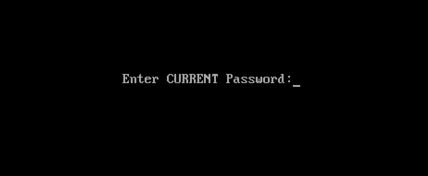
There are four different ways what you can use to reset your laptops bios password by taking some different backdoor tricks and here’s the list:
There are some of backdoor passwords what your laptop’s bios manufacture company makes to open the bios menu in the case of customer forgets their own created password. Here are some passwords according to the Bios Company.
- Award BIOS backdoor passwords:
| AWARD_SW | KDD | award | j256 |
| Award SW | ZBAAACA | AWARD_SW | J64 |
| HLT | ZAAADA | AWARD?SW | j332 |
| Condo | ZJAAADC | AWARD SW | j322 |
| CONCAT | Djonet | AWKWARD | 01322222 |
| TTPTHA | ALFAROME | Awkward | 589589 |
| aPAf | ALLy | 01322222 | 589721 |
- AMI BIOS backdoor passwords:
| AMI | HEWITT | LKWPETER |
| AAAMMMIII | RAND | A.M.I. |
| BIOS | AMI?SW | CONDO |
| PASSWORD | AMI_SW | AMIBIOS |
- PHOENIX BIOS backdoor passwords:
| Phoenix | ALFAROME | Biosstar |
| PHOENIX | BIOSTAR | Cmos |
| CMOS | Biostar | LKWPETER |
| BIOS | 12345 | 12345678 |
- BIOS PASSWORDS BY MANUFACTURER:
| SNo. | Manufacturer | Password |
| 1. | VOBIS & IBM | merlin |
| 2. | Dell | Dell |
| 3. | Biostar | Biostar |
| 4. | Compaq | Compaq |
| 5. | IWill | iwill |
| 6. | Jetway | spooml |
| 7. | Siemens | SKY_FOX |
| 8. | Toshiba | TOSHIBA BIOS |
| 9. | IBM | APTIVA BIOS |
|
|
|
#2 – Resting By Password Cracking Software
We can also remove the bios password by using the cracking software’s like “Hirens BootCD 15.2”. The best part about this Hirens Boot CD is its bootable software which contains numbers of diagnostic tools and a live operating system also.
Download link >>>>>link
Download the Hirens boot cd and make a bootable usb pendrive of “Hirens BootCD”. If you don’t know how to boot a pendrive then here’s our another tutorial to show you how to do that:
>>>How To Make A Bootable Usb Pen Drive?
Step 1 – Boot the “Hirens BootCD”
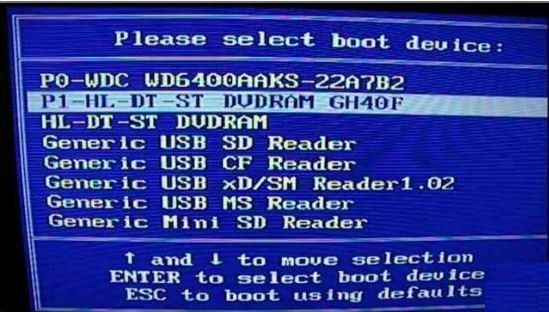
Open the boot menu of your computer by pressing F9, F10, F11, F12 whatever your motherboard support’s and Select the Usb drive or DVD-RW to Boot Up your bootable device what you’ve made recently.
>>How to Quick Boot A USB or CD/DVD Directly From the Boot Menu?
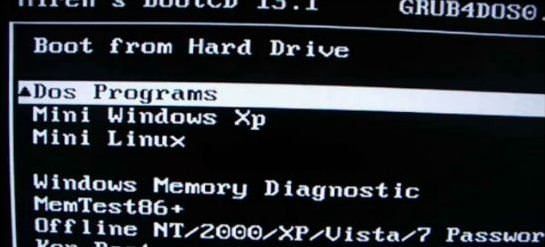
Step 2 – Select The Dos Programs.
After booting the cd you will see the Hirens boot cd menu like this and now you’ll just need to select the Dos Programs
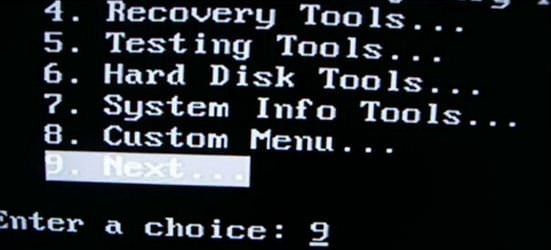
Step 3 – Select The “Next…” On The 9th No.
Select Next and do it again and again until you’ve find the “BIOS/CMOS tools”, after that open it.
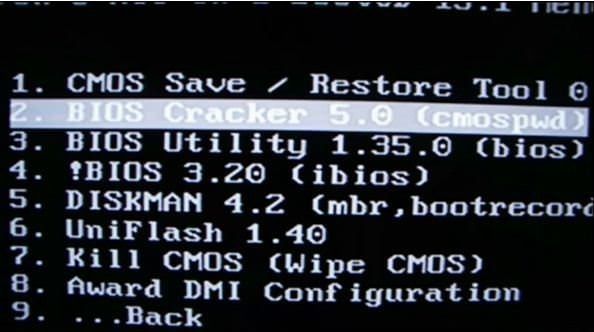
Step 4 – Select the Bios Cracker 5.0 tool in the BIOS/CMOS tools.
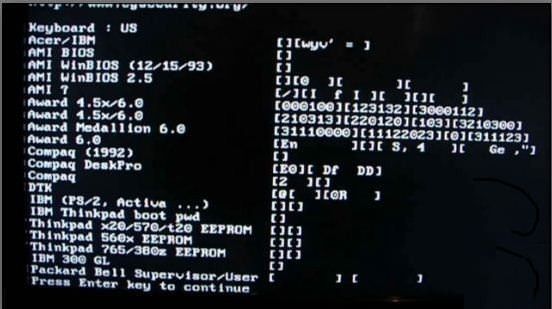
After selecting the “Bios Cracker 5.0 (cmospwd)” your screen got fluctuate and you’ll see some software gets to auto start and ask you some of questions like language or something, you’ll just have to click enter and that’s it. After some of questions you will see, the program asks you to “Press enter key to continue”. Just press the enter key and your laptop bios password gets reset.
Restart your computer and check the password is removes or not, if the password is still remains try ours another solution listed below.
#3 – Resting By Bios Jumper And Solder Bread
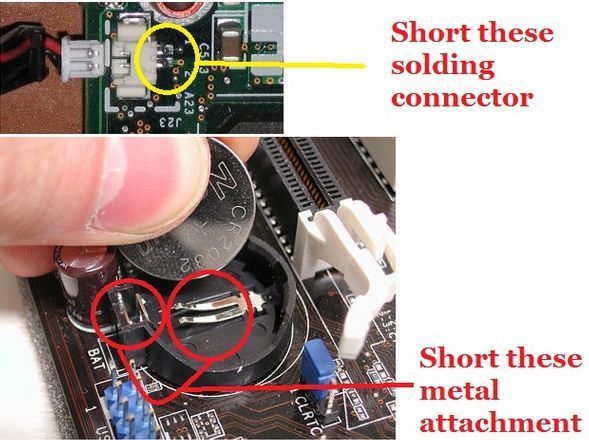
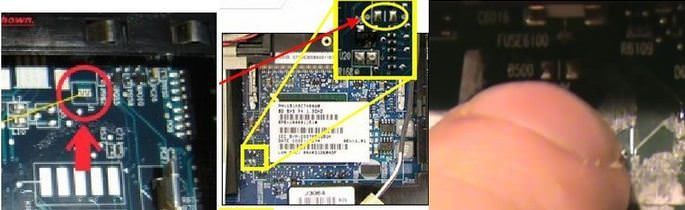
You can also break the bios by shorting the CMOS jumper which you’ll find on the motherboard of your laptop. Shorting the jumper for 20 second can reset your bios password. Mostly the bios jumper (solder bread) located, nearest by the ram slot or the CMOS battery.
The CMOS jumper is looks like this:
Step 1 – Open your laptops back cover or ram case cover.
Step 2 – Find the jumper.
Step 3 – Short the jumper by some small piece of wire for 20 sec.
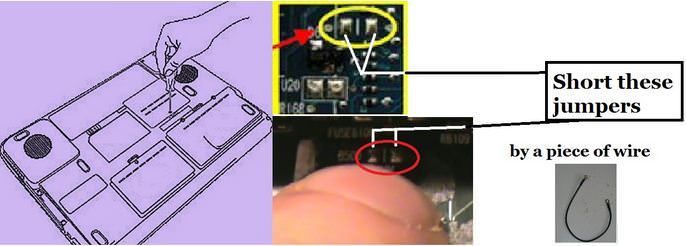
After shorting the password has been cleared. If that works, screw back the cover and load the default setting in the bios to make it as on original position. If the password is still remains try another solution listed below.
#4 – Resting by C-MOS battery
All the CMOS and bios setting is saved in the bios chip which was attached on the motherboard and the main work of CMOS battery is to giving continuous power supply to the bios chip to save all the settings on it. If you unplug or remove the battery for above 5 sec it will turn off your bios and by turning the bios off the setting will be reset.
Step 1 – Unplug all the power supply which is connected to the laptop like “Laptop’s Battery” or “Power Adaptor”.
Step 2 – Disassemble your laptop and find the CMOS battery which was attached to the laptop’s motherboard. Watch the laptop disassembly video on internet to know where your laptop’s CMOS battery was located; sometimes it was on behind the case of ram.
Note – If you don’t know how to disassemble your laptop then watch a disassemble video of your laptop on YouTube or some other helping website
Step 3 – After finding the battery, just disconnect it or remove the battery for 5 sec

Step 4 – Short the CMOS battery connector by the use of some metal wire because in some case the motherboard’s manufacturers make a backup power supply to the Bios Chipset by using of some capacitor. So, that’s why we short them to clear the remains power supply in the motherboard.
Step 5 – Reinstall the CMOS battery and assemble back your laptop and that’s it. Now just Power ON your laptop and the bios password is gone.
Note – Sometimes this solution doesn’t work. In that case you’ll have to flash or reinstall your bios software or maybe replacing the bios chip.
That's it try at own risk.......post by Pawan kumar
|
|
|
| |
|